
Contribution Time Calculator: A Guide
Adding employment periods is not the same as adding dates: overlapping periods are counted only once, and the qualifying period follows a different count from contribution time. The website’s contribution time calculator determines both and compares them with each 2026 rule.
What the contribution time calculator does
Contribution time may seem like a simple addition of periods, but it is not. Three particular issues often throw off calculations done by hand.
The first is overlap. If you had two simultaneous employment periods, you do not add both periods together: the time is counted only once, because what is measured is your period of coverage, not the number of jobs.
The second is the difference between contribution time and the qualifying period. Contribution time is measured in years, months, and days. The qualifying period is measured by the number of distinct contribution months with payments. They are different measures, and you may have the required time without the qualifying period, or the reverse.
The third is the cutoff date. The 2019 reform made it important to know how much time you had on November 13 of that year, because that benchmark determines the additional contribution periods under the transition rules.
The website’s tool takes employment periods one at a time, removes overlaps, converts special contribution time, and returns both measures, along with a comparison against the current minimum requirements.
When the tool helps in a specific case
Its most common use is to turn your social security contribution statement into a number. If you have the document in hand and want to know how much you have already accumulated, enter the periods and obtain the complete calculation.
Other recurring situations include:
- checking the calculation made by the social security agency in a denial;
- determining how much time remains under each retirement rule;
- converting special periods into regular contribution time within the same calculation;
- checking the time accrued on the date of the reform for the additional-contribution transition rules;
- calculating declared rural work time together with urban employment periods.
The calculation date field lets you determine the time as of a specific date, rather than only as of today, which is useful for assessing an application submitted in the past.
Two jobs during the same period do not generate double time. The overlap is removed before the calculation, and this often reduces the total calculated by hand.
That is why the result highlights, on its own line, that the employment periods counted have already had overlaps removed.
Step by step through the tool’s screens
The calculator is located in the website’s tools section, among the social security tools, and works in your browser.
1. Open the tool and identify its layout
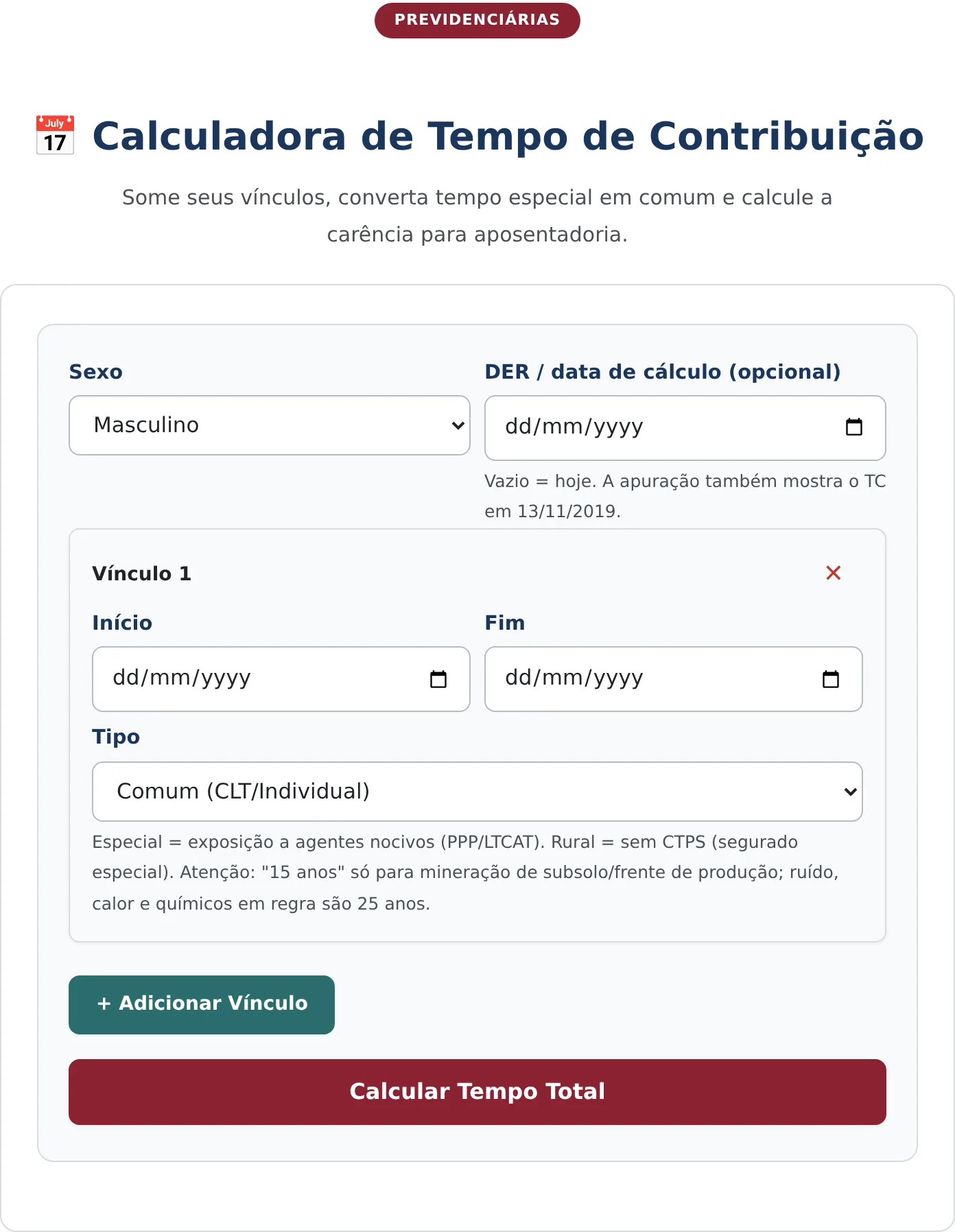
The screen has two sections. At the top are the general details: sex and calculation date, the latter optional. Below is the list of employment periods, with one row already open and a button for adding others.
Each employment-period row has three fields: start, end, and type. The type field opens options for regular time, special time of 25, 20, or 15 years, and rural time. The field guidance explains that special time requires proof through technical documentation and that the 15-year period is limited to underground mining at the work face.
2. Enter the employment periods
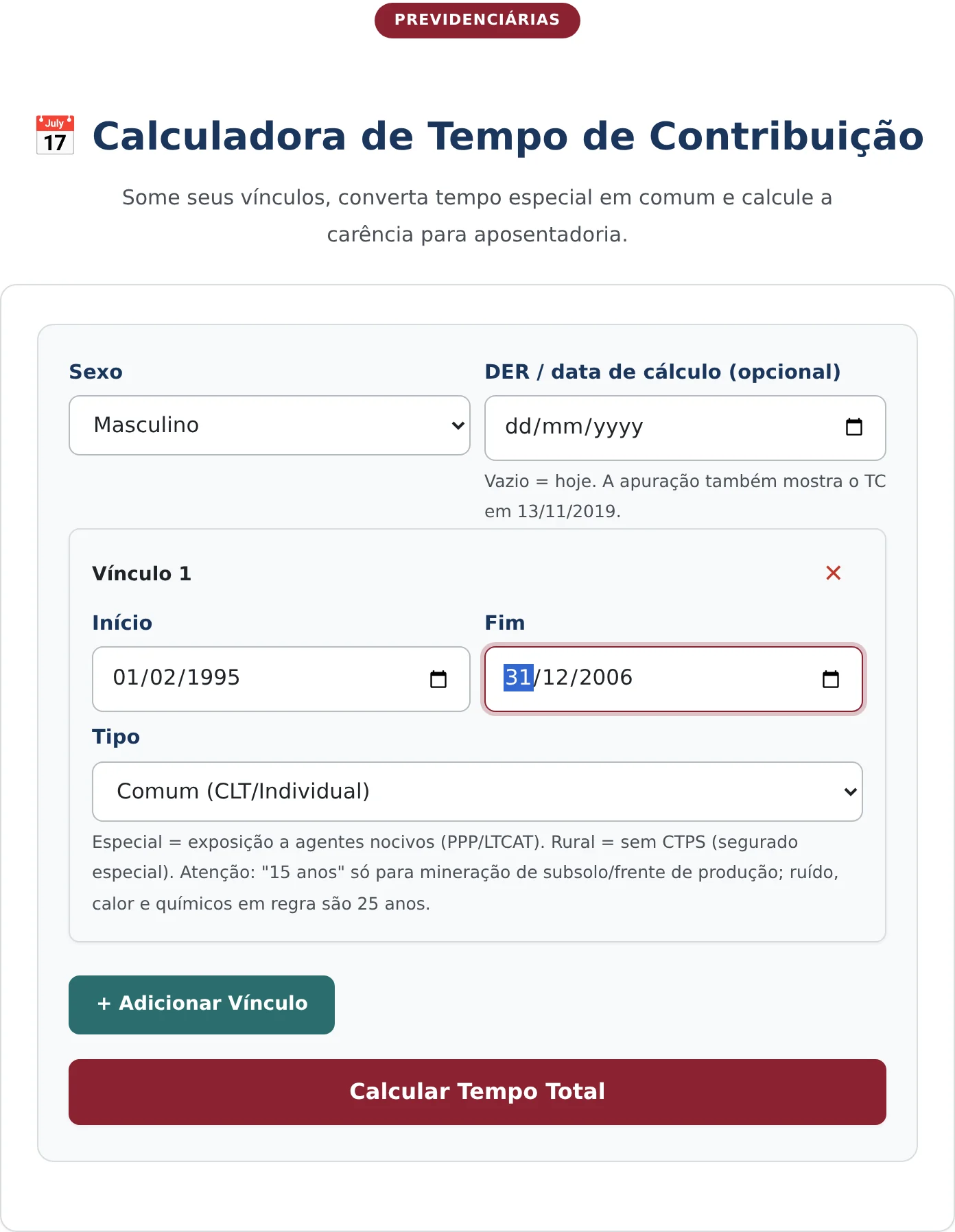
In the example, the insured person is male, and the entered employment period runs from February 1, 1995, through December 31, 2006, as regular time.
The add employment period button opens as many rows as needed, and each may have a different type. This is how you build a work history with regular, special, and rural periods in a single calculation, with conversion applied automatically where appropriate.
3. Calculate and read the result
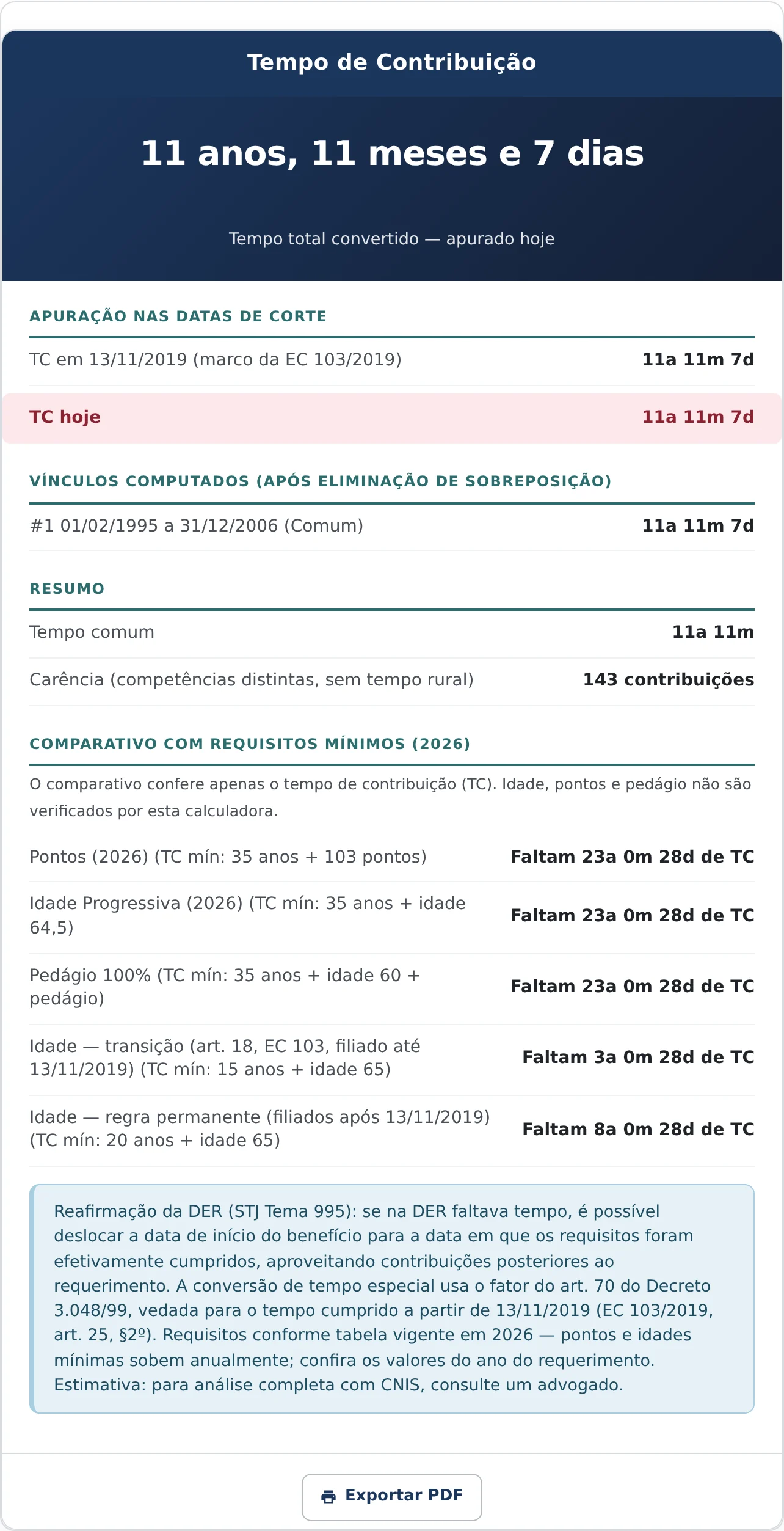
The “Calculate Total Time” button opens the card showing the total time prominently, the calculation at the cutoff dates, the list of employment periods counted, the summary, and the comparison with the requirements.
How to read each line of the result
In the example, the total converted time is 11 years, 11 months, and 7 days. The calculation at the cutoff dates repeats this value both for November 13, 2019, and for the calculation date, which makes sense because the only employment period entered ended in 2006.
The employment periods counted section shows the entered period and its corresponding time, after overlaps have been removed. When there are several employment periods, this section shows how much each one actually contributed to the total.
The summary places the two measures side by side: regular time of 11 years and 11 months, and a qualifying period of 143 contributions, counted by distinct contribution months and excluding rural time. The difference between the figures is the clearest demonstration that contribution time and the qualifying period are not the same.
The comparison with the minimum requirements completes the card. It tests the calculated time against five scenarios: points, progressive age, the 100% additional-contribution period, age under the transition rule, and age under the permanent rule. Each line shows how much contribution time remains.
The comparison includes an honest and important qualification: it checks contribution time only. Age, points, and the additional contribution period are not checked there, so meeting the time requirement does not by itself mean you are entitled to the benefit.
Reaffirmation of the application date
The result mentions a legal mechanism that often saves denied applications: reaffirmation of the application filing date.
The logic is as follows. If you lacked time on the date of the application but continued contributing and met the requirements later, it is possible to move the benefit start date to the time when the requirements were actually met, without filing a new application.
The practical effect is significant because it preserves the original application and avoids losing time on a new administrative proceeding. On the other hand, the benefit becomes payable as of the reaffirmed date, not the original date.
The tool helps with this by allowing you to calculate time on different dates, showing exactly when the requirements were met.
What the calculator does not do
The tool does not access the social security registry. The periods must be entered manually, and the quality of the result depends on how faithfully they match the official statement.
It also does not check age, points, or the additional contribution period, as the comparison itself warns. For a complete analysis of the rules, the website provides a specific retirement simulator.
And it does not validate proof of special or rural time. Conversion is applied based on the type entered, but recognition depends on technical documentation in the case of special time and initial documentary evidence in the case of rural time.
Frequently Asked Questions
Do two jobs at the same time count twice?
No. Contribution time measures the period of coverage, and simultaneous employment periods are counted only once. The calculator removes the overlap before adding the periods, and the result expressly states that the displayed employment periods have already received this treatment.
What is the difference between contribution time and the qualifying period?
Contribution time is measured in years, months, and days of coverage. The qualifying period is the number of distinct contribution months with payments. The result presents both measures separately precisely because they may differ significantly within the same work history.
Does meeting the minimum time guarantee retirement?
No. The tool’s comparison checks contribution time only, and the current rules also require a minimum age, points, or an additional contribution period, depending on the case. A complete review depends on the transition-rules simulator.
Receba novidades por e-mail
Cadastre-se gratuitamente para receber nossos novos artigos.
Seus dados estão protegidos conforme a LGPD.
Ficou com dúvidas? Fale com um advogado especialista.
📱 Falar pelo WhatsAppAs informações deste artigo são de caráter informativo e não substituem consulta jurídica individualizada. Cada caso possui particularidades que exigem análise específica.


