
Net Salary Calculator: A Complete Tutorial
The INSS (Brazil’s National Social Security Institute) rate shown in the table is not the rate workers actually pay. The site’s net salary calculator breaks out each deduction, shows the effective rate, and reveals how much of your gross pay is really withheld.
What the net salary calculator solves
Between the salary agreed on at hiring and the amount that lands in your bank account lies a series of deductions, each with its own rules. The Social Security contribution is progressive, calculated by brackets. Income tax depends on a base already reduced by the INSS contribution and by other deductions. The transportation voucher (vale-transporte) has a legal cap. A health plan reduces the tax base.
The sequence matters because the order changes the result. Deducting the health plan before or after calculating the tax produces different amounts, and workers often try to rebuild the math by adding up percentages of the gross salary, arriving at a number that doesn’t match the pay stub.
There is one more point that confuses almost everyone: the INSS rate shown in the table corresponds only to the last bracket reached. The actual deduction is the sum of the brackets, each with its own percentage, which is why the effective rate is always below the nominal one.
The site’s tool takes your gross salary and personal deductions and returns the net amount with the full breakdown, including the total percentage withheld.
When the tool helps in a real situation
The most direct use is checking your pay stub. When your net pay comes in different from what you expected, the breakdown shows which line explains the difference.
Other common situations:
- evaluating a job offer by comparing different gross salaries based on actual net pay;
- measuring the effect of a raise on the amount you actually receive;
- deciding whether to opt into the transportation voucher, whose deduction has a legal limit;
- checking the impact of a health plan deducted from your paycheck;
- checking the withholding of someone who pays court-ordered support (pensão alimentícia).
In all of these cases, what matters is not the isolated number but the breakdown. Knowing which item weighs the most lets you act on it.
The 14% rate in the INSS table applies only to the final portion of the salary. The effective deduction usually ends up close to 10%.
This tutorial’s example shows that difference in numbers, using fictional figures chosen for the demonstration.
Step by step, with screenshots of the tool
The calculator is in the site’s tools section, among the labor law tools, and it runs in your own browser with no sign-up.
1. Open the tool and get to know the fields
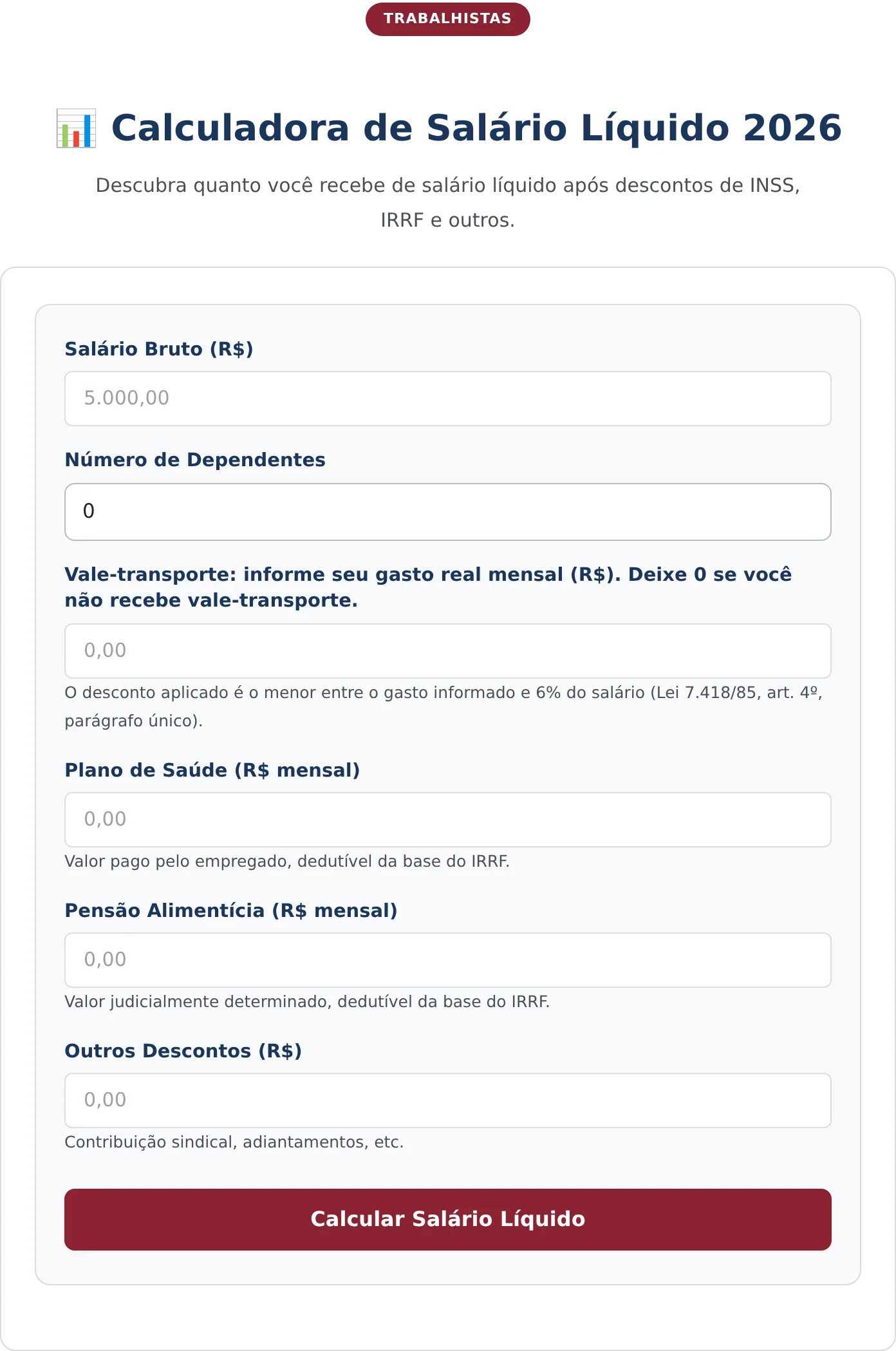
The screen has six fields. The first is gross salary. The second is the number of dependents. The next four take personal deductions: transportation voucher, health plan, court-ordered support, and other deductions.
Each deduction field has a short note beneath it. The one for the transportation voucher is the most important: the deduction applied is the lesser of the amount you report spending and six percent of your salary, a limit set by law. Workers who spend heavily on transportation are never charged more than this cap.
2. Fill in your payroll data
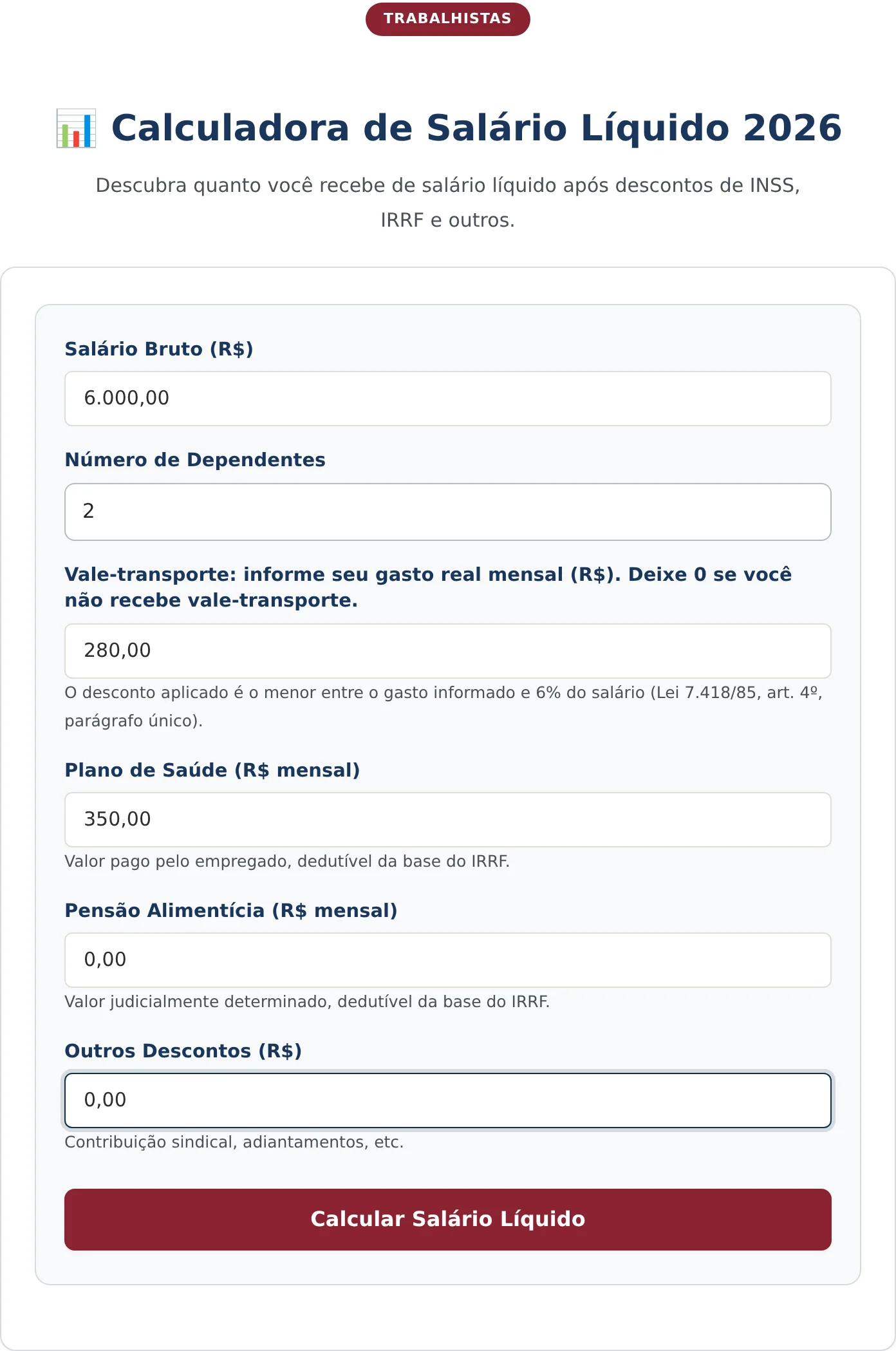
In the example, the gross salary is R$ 6.000,00, there are two dependents, actual transportation spending is R$ 280,00 per month, and the health plan deducted from the paycheck costs R$ 350,00. There is no court-ordered support and there are no other deductions.
The health plan and court-ordered support fields are not merely informational. Both reduce the calculation base for the income tax withheld, and leaving them at zero when they apply produces an estimated net pay below the real figure.
3. Calculate and read the result
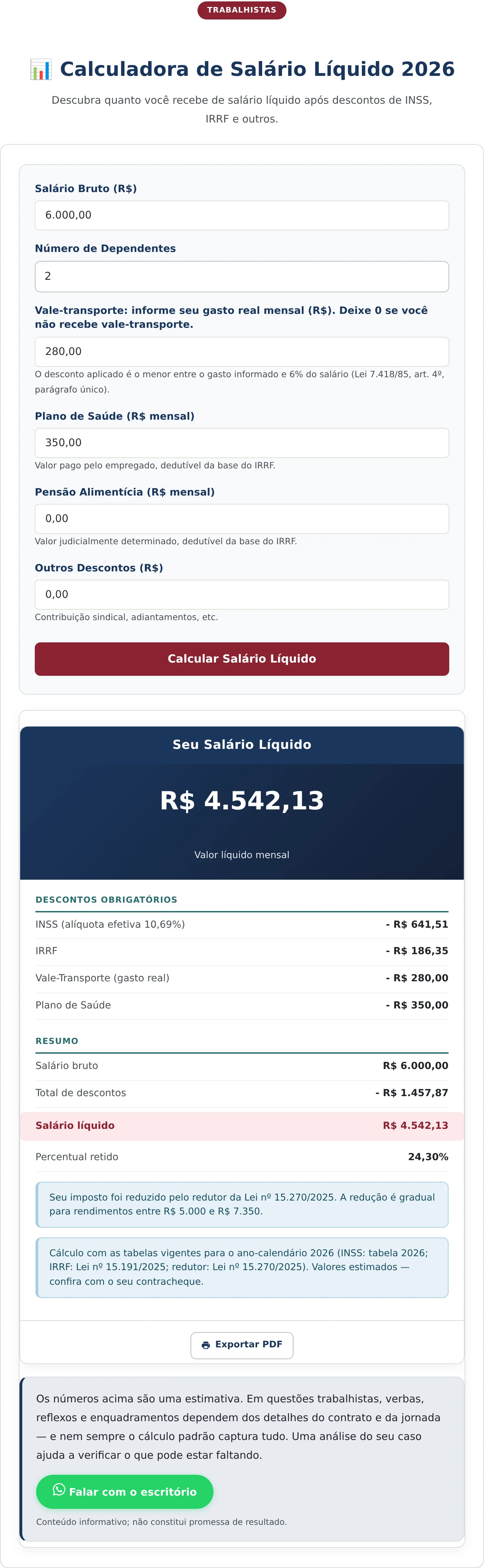
The “Calculate Net Salary” button opens the result card, with the net amount highlighted, the list of mandatory deductions, and a summary showing the percentage withheld.
How to read each line of the result
In the example, the monthly net pay is R$ 4.542,13. The deductions block breaks that result down into four lines.
The Social Security contribution appears as R$ 641,51, along with the figure that matters most: the effective rate of 10,69%. A salary of R$ 6.000,00 reaches the 14% bracket, but the actual deduction comes to just over ten percent, because each earlier bracket was charged at its own percentage.
The income tax withheld is R$ 186,35. Its base is not the gross salary: it is the salary after subtracting the Social Security contribution, the dependent deductions, and the health plan. That is why the amount is far lower than what you would get by applying the table rate directly to R$ 6.000,00.
The transportation voucher appears at the actual spending of R$ 280,00, below the six percent cap, which in this case would be R$ 360,00. The health plan is deducted in full, at R$ 350,00.
The summary closes with the numbers that matter for your decision: gross pay of R$ 6.000,00, total deductions of R$ 1.457,87, and a withheld percentage of 24,30%. That last figure is the most useful when comparing offers, because the percentage withheld varies with the bracket and with personal deductions.
In the footer, the tool states which tables it applied and indicates when the statutory income tax reduction came into play, along with the income range in which the reduction phases in gradually.
It is worth understanding the order in which income tax is calculated, because that order explains most discrepancies. The base starts at the gross salary, then loses the Social Security contribution, the statutory deduction per dependent, court-ordered support, and the deductible expenses taken out of your paycheck. Only what remains is subject to the progressive table.
Each declared dependent reduces the base by a fixed monthly amount, which means the effect of a dependent is greater for people in a higher bracket of the table. Claiming a dependent who does not meet the legal requirements, however, results in a balance due on your annual tax return.
The law also allows, in certain income ranges, a reduction that lowers the tax calculated. The tool flags in the footer when that reduction was applied and indicates the range in which the reduction phases in gradually, which avoids the impression of an error when the tax comes out lower than the table alone would suggest.
What the calculator does not do
The tool works with a fixed salary. It does not calculate averages of overtime, commissions, hazardous-conditions, dangerous-work, or night-shift premiums, or regular bonuses. For variable pay, the gross figure you enter should already include these items for the result to come close to your payroll.
It also does not handle Social Security contributions for self-employed contributors (contribuinte individual) or optional contributors, whose rates are fixed and do not follow the progressive table that applies to employees. For those cases, the result of the effective-rate tool itself carries the corresponding warning.
Finally, deductions of a contractual nature, such as health plan co-payments, payroll-deducted loans, and association dues, are included only if you enter them in the other deductions field, because they vary from case to case.
Frequently Asked Questions
Why is my INSS deduction lower than the rate for my bracket?
Because the contribution is progressive. Each salary bracket is charged at its own percentage, and the rate shown in the table corresponds only to the final bracket reached. The result shows the effective rate precisely to make that difference visible.
Can the transportation voucher deduction exceed six percent of my salary?
No. The law limits the employee’s share to the lesser of the actual transportation cost and six percent of the base salary. The calculator applies this limit automatically, deducting the amount you report only when it is below the cap.
Does a health plan reduce the income tax withheld?
Yes, when the employee pays for it and it is deducted from the paycheck, because health expenses are deductible from the calculation base. That is why the field exists in the tool: leaving it at zero for someone whose plan is deducted from pay produces a net pay estimate below the real figure.
Receba novidades por e-mail
Cadastre-se gratuitamente para receber nossos novos artigos.
Seus dados estão protegidos conforme a LGPD.
Ficou com dúvidas? Fale com um advogado especialista.
📱 Falar pelo WhatsAppAs informações deste artigo são de caráter informativo e não substituem consulta jurídica individualizada. Cada caso possui particularidades que exigem análise específica.


